WhatsApp Business API: setup, costs and what to automate
WhatsApp now charges per template message, with service replies free. What it costs in India, what to automate first, and when to build a custom integration.
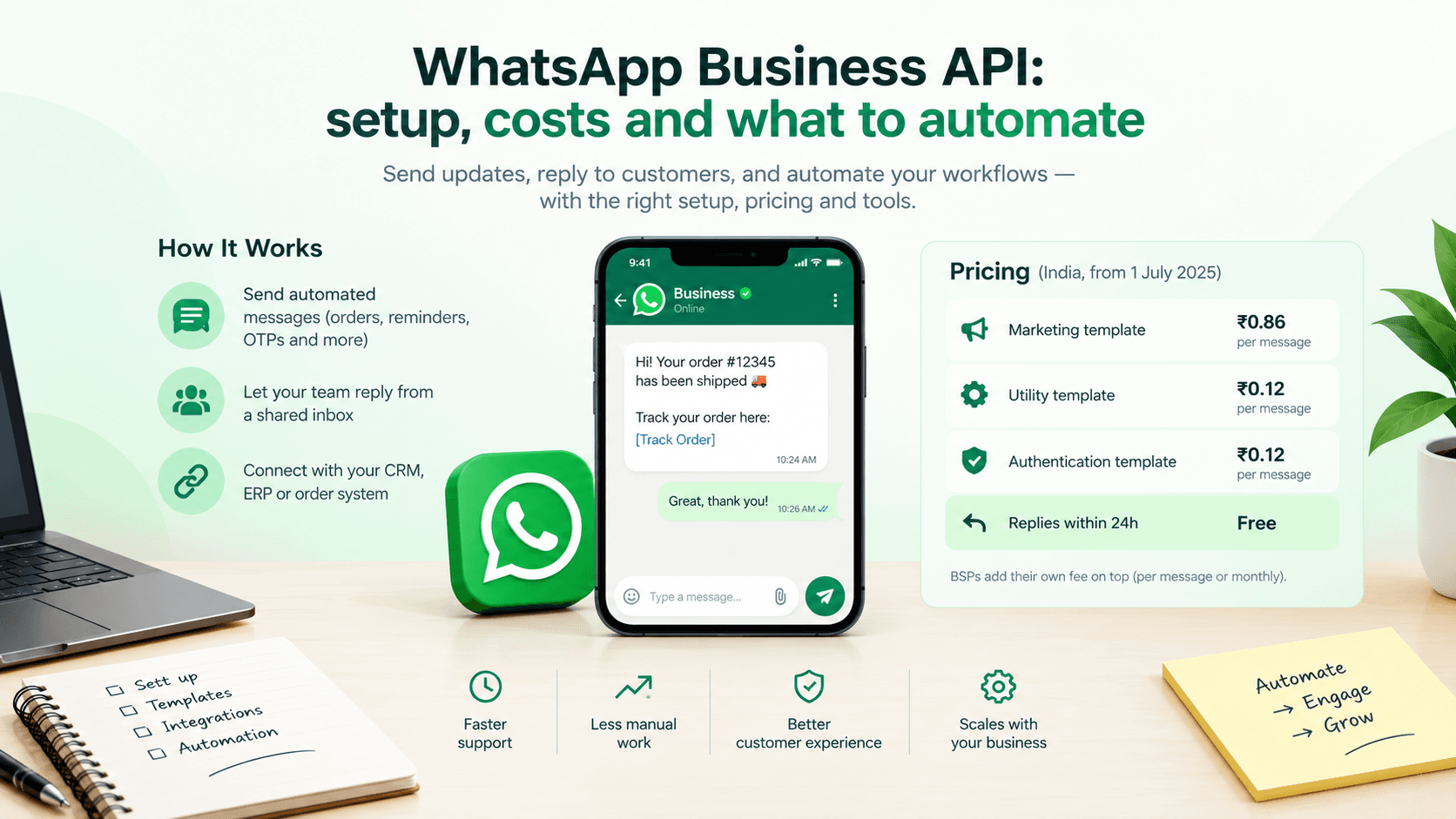
The WhatsApp Business API lets your systems send order updates, reminders and one-time passwords automatically and lets a team answer customers from a shared inbox. Since 1 July 2025, Meta charges per template message you send. In India that's roughly ₹0.86 for a marketing message and about ₹0.12 for a utility or authentication message, while replies inside an open customer conversation are free. Setup takes days through a provider, or a few weeks if you connect it properly to your own software.
That's the short answer. The longer one depends on what you want WhatsApp to do, and whether a ready-made tool will do it.
The WhatsApp Business app vs the API
The free WhatsApp Business app on a phone is fine for a small shop with one person answering messages. It stops working when:
More than a handful of people need to answer customers.
You want messages sent automatically when something happens, like an order shipping.
You need to connect WhatsApp to your CRM, ERP or order system.
The API has no app of its own. You use it through Meta's Cloud API directly, or through a Business Solution Provider (BSP) such as Gupshup, Interakt, AiSensy or Twilio, which gives you a dashboard, a team inbox and broadcast tools on top.
What it costs in 2026
Meta's pricing has three layers of rules worth knowing:
You pay per delivered template message. Templates are pre-approved message formats you use to start a conversation or send an update.
Templates fall into categories: marketing, utility (order and account updates) and authentication (one-time passwords). Marketing costs the most.
Service messages, meaning your replies when a customer writes to you, are free within the 24-hour customer service window. Utility templates sent inside that open window are free too.
For Indian businesses, Meta moved to rupee billing from 1 January 2026. The Indian rate card sits at roughly ₹0.86 per marketing message and around ₹0.12 per utility or authentication message. Meta can change rates on the first day of any quarter, so check the current card before you budget. Accounts billed to India that are still on non-rupee billing need to migrate by 31 December 2026, because Meta has said it will stop delivering their messages from 1 January 2027.
BSPs add their own charge on top, either a small per-message markup or a monthly platform fee.
A quick example: a store sending 20,000 order and delivery updates a month (utility) and 10,000 promotional messages (marketing) would pay Meta about ₹2,400 plus ₹8,600, so around ₹11,000 a month before the provider's fee.
What to automate first
Start with messages customers actually want. They get read, they cut support load, and they cost less than marketing messages.
Order confirmations and delivery updates. These answer "where is my order?" before anyone asks.
Appointment reminders for clinics, salons and services. Missed appointments drop when people get a reminder with a one-tap reschedule link.
Payment links and payment confirmations.
One-time passwords for login, if your users prefer WhatsApp to SMS.
A simple support menu that answers the top five questions and hands everything else to a person.
A useful test for each automation: would the customer be annoyed if this message didn't arrive? If yes, automate it. If they'd barely notice, it can wait.
Marketing broadcasts come later, and carefully. Users can block or report you, and Meta lowers your sending limits if your quality rating drops. Only message people who opted in, and send things they'd be glad to receive.
Ready-made tool or custom integration?
When a ready-made tool is enough
A BSP dashboard handles a lot without any custom code: a shared inbox, broadcast campaigns, simple chatbots and integrations with Shopify or popular CRMs.
It's enough when your orders live in a platform the BSP already supports, your team works from the BSP's inbox, and your automations are simple "when X happens, send Y" rules.
When you need a custom integration
Custom work makes sense when WhatsApp has to talk to systems no off-the-shelf connector covers:
Your own order, booking or ERP system.
Messages that depend on business logic, like "remind only customers whose payment is due and who haven't opened the last invoice".
Replies that need to write back into your software, such as confirming an appointment and updating the calendar.
An AI assistant that answers from your own product data and policies.
A focused integration that sends order updates from your system and routes replies to your team usually takes two to four weeks to build. Adding an AI assistant that answers questions from your catalogue or documents adds more, which we cover in our AI solutions work. For the connecting and automating side, see our custom software and integrations service.
Setup steps and common delays
The technical setup is quick. Approvals are what slow people down.
Verify your business in Meta Business Manager. Have your registration documents and website ready, and make sure the business name matches everywhere.
Choose a phone number that isn't already active on the WhatsApp app, or migrate it off the app first.
Pick a BSP or go direct with Meta's Cloud API.
Submit message templates for approval. Plain, specific templates get approved faster. Anything that looks promotional but is labelled utility gets rejected or recategorised.
Collect opt-ins before you send, for example with a checkbox at checkout.
Questions about the WhatsApp Business API
Is the WhatsApp Business API free?
No. Access is free, but Meta charges for each template message delivered, and most providers add their own fees. Replies to customers inside an open 24-hour conversation are free.
Can I use my existing WhatsApp number for the API?
Yes, but a number can only be on the WhatsApp app or the API at a time. You'll need to migrate it, and chat history on the phone doesn't carry over to the API.
How long does WhatsApp Business API approval take?
Business verification usually takes a few days if your documents and website are in order. Template approvals are often quicker. Rejections are the main cause of delay, usually from mismatched business names or vague templates.
Can I send bulk messages with the WhatsApp API?
Yes, to people who have opted in, using approved marketing templates. Your daily sending limit starts low and rises as your number builds a good quality rating.
Plan your WhatsApp automation
If you want WhatsApp connected to your own systems, tell us what you'd like it to do. We'll tell you whether a provider's tool covers it or whether custom work is worth it, and put a fixed price on the build.