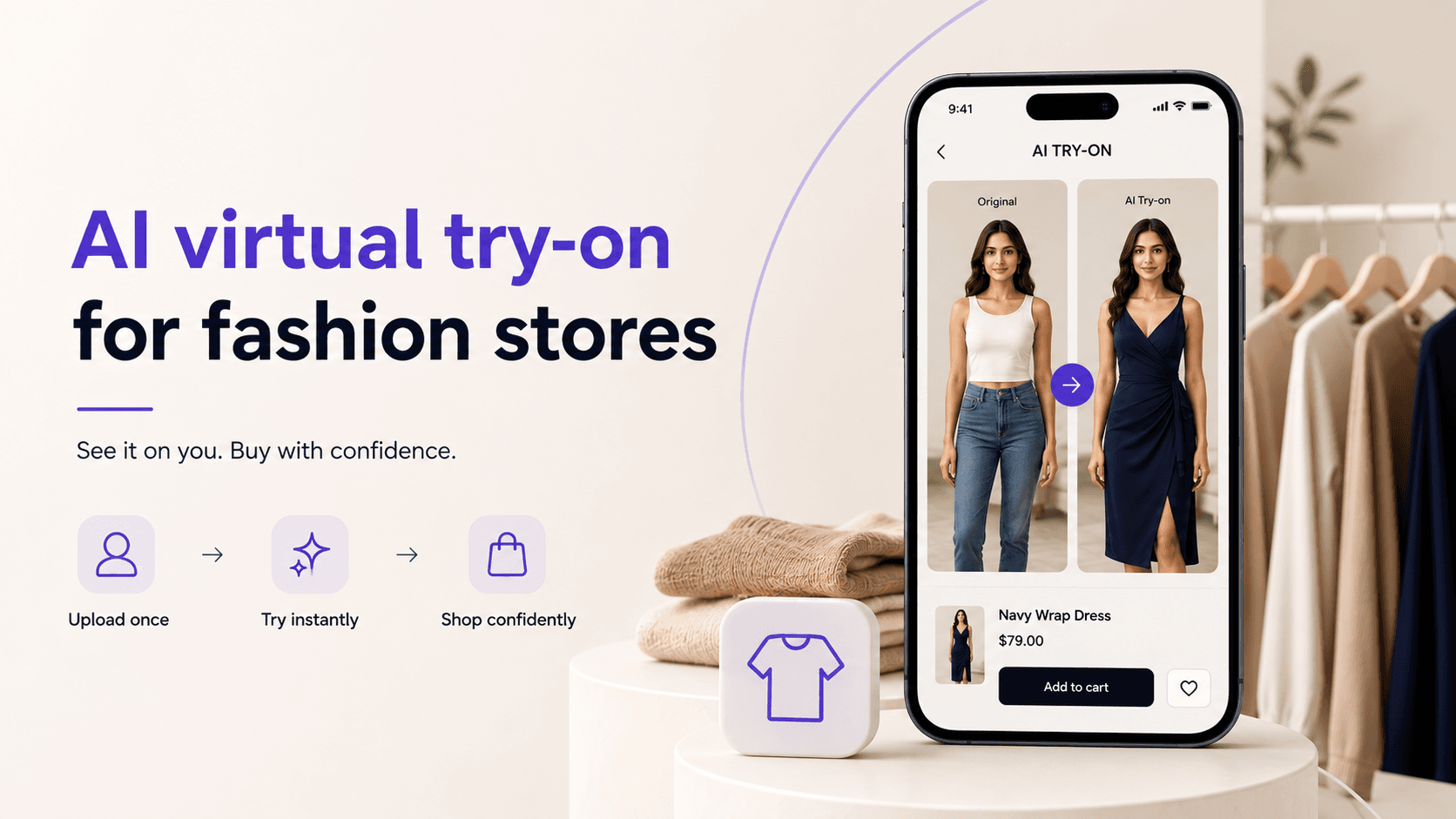
AI virtual try-on for fashion stores: how it works
AI try-on lets shoppers upload one photo and see themselves in any outfit before buying. We built one. Here's how it works and what it takes.
AI virtual try-on lets a shopper upload one photo of themselves and see how any garment in your catalogue looks on their own body before they buy. We built exactly this for VESTON, a fashion e-commerce platform, so this guide comes from shipping the thing, and from the mistakes we made on the way.
The technology moved fast in the last two years. What used to need a 3D scan and a research team now runs on image models that produce a convincing result from one ordinary photo in seconds. It's now a feature a mid-sized store can add, and shoppers immediately understand it.
The problem it solves
Fashion e-commerce has a trust gap. A shopper can see the fabric, the price, and a model wearing the item. What they can't see is themselves wearing it.
So they hesitate. Or they order two sizes with the plan of returning one, which turns your revenue into a loan. Or they buy, dislike how it looks at home, and send it back, and every return eats shipping twice plus handling. Fit and appearance doubt sits behind a huge share of fashion returns, and no amount of size-chart copywriting fixes it, because a chart can't show a person their own reflection.
Try-on attacks the doubt directly. See it on yourself, then decide.
What the shopper actually experiences
The flow we built for VESTON is four steps. The shopper uploads a photo once. They browse the store normally. On any product, one tap generates an image of them wearing that item, usually in a few seconds. They check out with the confidence of someone who has already seen the outcome.
That "upload once" detail matters more than it sounds. If shoppers have to upload a photo per product, they do it once and leave. Stored safely and reused, the photo turns try-on into a browsing habit instead of a gimmick.
How it works, in plain words
Under the hood, an image model takes two inputs, the shopper's photo and the product image, and generates a new image of that person wearing that garment. The person's face, body shape, and pose are preserved. The garment is redrawn onto them with its real colour, cut, and drape.
Around the model sits the engineering that makes it a product instead of a demo: photo quality checks before generation, queuing so results stay fast at busy times, caching so the same combination isn't generated twice, and fallbacks so a failed generation shows a graceful message instead of a broken page. That surrounding work took us more time than the model integration itself.
What we learned building VESTON
Three lessons, earned the slow way.
Placement decides usage. Try-on buried on a separate page gets ignored. Try-on as a button on every product card gets used. It has to live inside the shopping flow, at the exact moment of doubt. You can see how we placed it in the VESTON case study.
Speed is a feature. At a few seconds per result, shoppers try outfit after outfit. Past ten seconds, they're gone. We spent real engineering time on queuing and caching purely to protect that feeling of immediacy.
Failures must fail politely. Some photos are too dark, too far away, or missing a full body. The system has to catch those upfront and ask for a better photo in a friendly way, because one ugly, distorted result costs more trust than twenty good ones earn.
What it changes for the store
The honest version: we won't hand you a universal conversion statistic, because the effect depends on your catalogue, your traffic, and where you place the feature. What we can tell you is the mechanism, and it's simple. Doubt is the biggest reason a full cart gets abandoned in fashion, and try-on removes the specific doubt that size charts and model photos can't touch.
There's a second effect nobody plans for: shoppers share the generated images. A picture of yourself in an outfit you're considering is exactly the thing people send to a friend, and that's traffic no ad budget produced.
What it takes to add it to your store
You don't need to rebuild your store. Try-on can be added to an existing storefront as a feature, or built into a new one if you're starting fresh. What we need from you is a product catalogue with decent images and a decision about where the feature should appear in the buying flow.
A well-scoped AI integration like this typically takes four to ten weeks, in line with the other AI software projects we ship. That includes the model work, the quality guardrails, photo privacy handling, and the storefront integration, with something you can click well before the end.
Questions we hear a lot
Does it work with Shopify or our existing platform? Usually yes. If your platform lets us add a component to product pages and call an API, try-on can sit on top of it. We confirm this in the first scoping conversation.
What happens to customer photos? They're stored securely, used only to generate try-on images, and deleted on request. We build the consent step and the deletion path into the feature, because photo trust is the whole game.
How accurate is it? Very good for how a garment looks on a body: colour, cut, drape, and overall look. It is a visual preview, and we say so in the interface rather than overclaiming precision tailoring.
What does it cost? It scopes like any AI integration: a fixed price after we've seen your catalogue and platform, typically in the four-to-ten-week band above. Generation costs per image are small and predictable at normal store traffic.
The fastest way to judge it is to try the real thing. Open VESTON's case study, see the flow we built, then tell us about your store and we'll scope what try-on would look like on it.